Backups Overview
GitSec creates encrypted snapshots of your Git repositories. Each backup captures the data you choose and stores it securely.
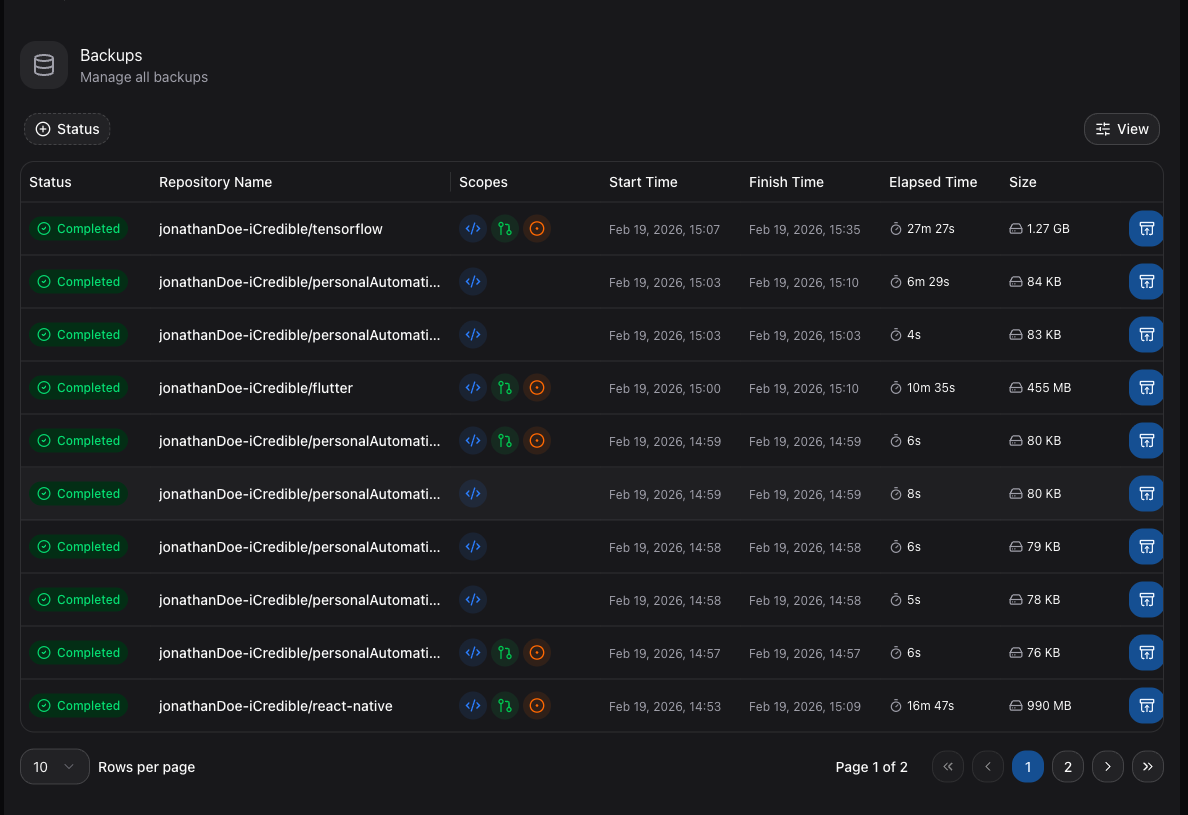
How Backups Work
When a backup runs, GitSec connects to your Git provider (e.g., GitHub) using the installed app's read-only permissions. It then downloads and encrypts the selected data scopes, storing the result as a backup snapshot.
Each snapshot is immutable — once created, it cannot be modified. This ensures data integrity for compliance and recovery purposes.
Backup Scopes
You can control what data is included in each backup:
| Scope | Status | Description |
|---|---|---|
| Code & Commits | Active | All branches, tags, and full commit history. |
| Pull Requests | Active | Open and closed PRs, including comments and review data. |
| Issues | Active | Open and closed issues, including labels, assignees, and comments. |
| Wiki Pages | Coming Soon | Repository wiki content. |
| Projects | Coming Soon | GitHub Projects boards and cards. |
| Releases | Coming Soon | Tagged releases with assets and changelogs. |
Backup Triggers
There are three ways to trigger a backup:
| Trigger | Description |
|---|---|
| On Demand | Manually triggered from the repository detail page. |
| Scheduled | Automatically triggered by a scheduler at a configured interval. |
| Push Event | Automatically triggered on every git push when push event backups are enabled. |
Backup Storage
Backups are stored in either:
- GitSec Storage — Managed infrastructure with EU and US regions.
- BYOS (Bring Your Own Storage) — Your own AWS S3, Azure Blob, Google Drive, or Huawei OBS bucket.
See Storage Overview for configuration details.