Managing Repositories
The Repositories > GitHub page lists all repositories accessible through your connected GitHub installations.
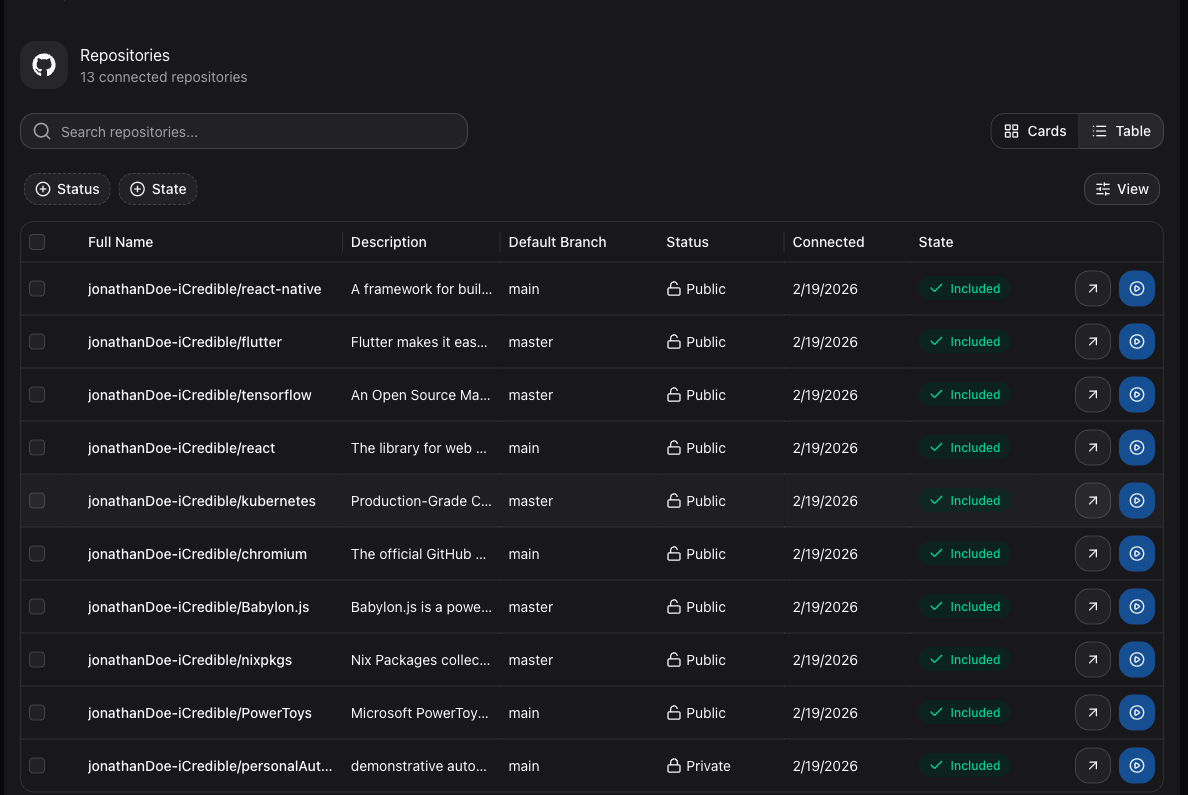
Repository List
The repository list is presented as a table with the following columns:
| Column | Description |
|---|---|
| Full Name | The owner and repository name (e.g., org/repo-name). |
| Description | The repository description from GitHub. |
| Default Branch | The primary branch (e.g., main, master). |
| Status | Whether the repository is currently being backed up. |
| Connected | The date the repository was connected to GitSec. |
| State | Whether the repository is Included or Excluded from backups. |
Including and Excluding Repositories
When repositories are first synced from GitHub, they are Excluded by default. You need to manually include the repositories you want to protect:
- Excluded — The default state. The repository is not eligible for automated backups.
- Included — The repository is eligible for scheduled and push-event backups.
To change a repository's state, use the toggle or action button in the State column.
Pagination
If you have many repositories, the list is paginated. Use the pagination controls at the bottom to navigate between pages.
Opening a Repository
Click on any repository row to open the Repository Detail page, where you can view backups, configure schedulers, manage push events, and more.